Setting up Storybook on an Astro project
7 min read
I really, really thought this was gonna be easy.

I started using GitHub Copilot around May this year as part of its free beta, and my opinion on it has changed a bit during this time. I was initially skeptical about it, but I've come to appreciate it more and more as I use it.
First off, let's see what Copilot has to say about itself:

So, yeah, it's a code completion tool. You can think of it as Intellisense on steroids, but really it's much more than that. It is much smarter and is capable of detecting your code style, the context of what you're writing, and even the intent of what you're trying to do. So, if you've just created a form input for a phone number and start writing a function on a related file, you'll see it automatically suggest some phone number validation logic.
I think what surprises me the most on a daily basis is how it interacts with code comments. You see, I often write comments detailing the next steps my code should take. In the example below, I've only written the comment, Copilot did the rest:
// Check if a task with same title already exists
// Throw error if yes
const checkDuplicate = (task: Task) => {
	const duplicate = tasks.find((t) => t.title === task.title);
	if (duplicate) {
		throw new Error(`Task with title ${task.title} already exists`);
	}
};
The opposite can also happen. Sometimes I write some complex functions and Copilot helps me make comments to explain what's going on. It's not perfect, but it's pretty good!
Copilot is not something that's going to take away your job. At least not soon. The reason is in its name itself: it is a Copilot, meant to be by your side while you're coding and help you out with busy work, not completely replace you. It's really not capable of doing that.
You're still responsible for the code it writes, and for the code you ship. Whatever code it suggests you'll still have to review, as it may contain flaws that are either obvious or really hidden.
It's also not a replacement for a good IDE. It's a tool that works on top of your IDE, and it's not going to replace it. It's not going to help you debug your code, or refactor it, or do anything that requires you to think. It's just a tool to help you write code faster, and perhaps save you some time Googling for the correct syntax.
I also found it kinda useless when writing HTML or CSS. It wouldn't suggest more than the absolute obvious and was more often than not wrong about what I intended to write, so it almost always got in the way. I only started enjoying it more after using it for more logic-heavy code.
The main controversy around GitHub Copilot is related to the licensing of the code used to train it. You see, Copilot is trained on open source code uploaded to GitHub, and a lot of that code is under the GPL license. This means that if any code under that license is used on your project, you're obligated to release your code under the GPL license as well. This is kind of a big deal, but GitHub's CEO has claimed that training machine learning systems on public data falls under "fair use".
I'm not knowledgeable enough on the subject to have a well-formed opinion on this, but I'm inclined to disagree with him. If a developer using Copilot is still responsible for the generated code, the GPL license should still apply. Plus, I'm really fond of Free Software and the more shared knowledge we have, the merrier.
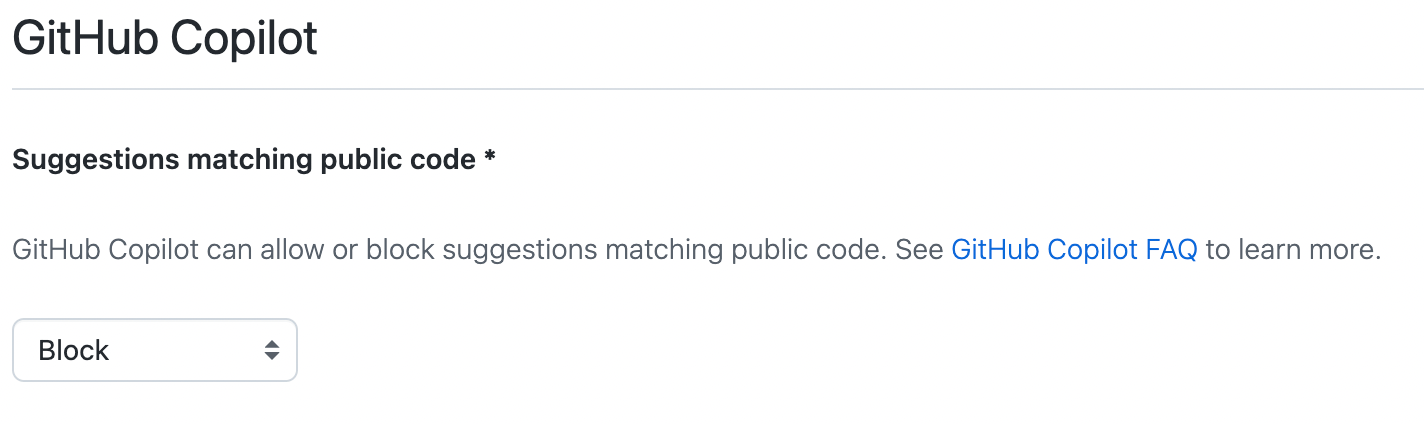
Until a consensus is reached, GitHub has added the option to disable public code suggestions on Copilot Settings, so you can disable them if you're worried about licensing issues.
I started using Copilot on the free beta, and after it ended I decided to keep using it, even for $10/month. It all depends on how much time it saves you. After using it for a good while I figured out that the time it saves me every month makes Copilot pay for itself. It has a free trial, so you can try it out and see if it's the same for you.
You can check out all the details on the official GitHub Copilot website.
Setting up Storybook on an Astro project
7 min read
I really, really thought this was gonna be easy.
Separating my website's content from its code
4 min read
Having an open source website is great, but having the content stored in the same spot as the code has some issues. On this post I walk through what I did to keep them separated.
Automating Social Media Preview Images
6 min read
Social media preview images are very useful if you want to attract people to your website. They're sometimes a pain to create, though. Let's automate it!
Progressive Enhancement (and why it matters)
8 min read
Progressive Enhancement isn't just another web jargon; it's a guiding principle shaping modern web development.